
Tasks#
Tasks are named shell commands that can live alongside workspace
environment definitions or in a tasks-only manifest. Run them with
conda task run.
Task commands#
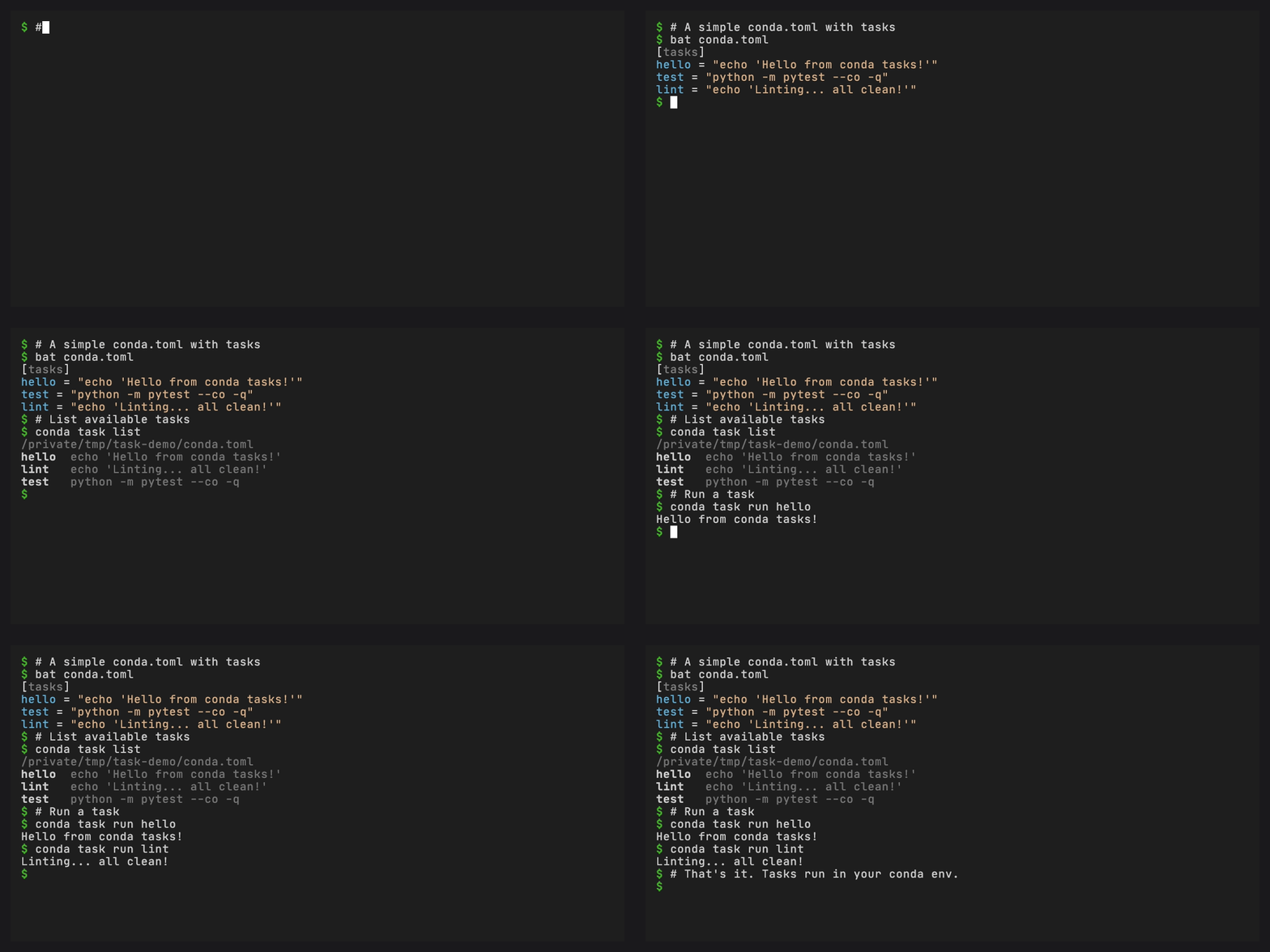
A task’s string cmd runs through the shell. A list of strings supplies the
executable and its arguments separately:
[tasks]
build = "python -m build"
build-alt = { cmd = ["python", "-m", "build", "--wheel"] }
Task dependencies#
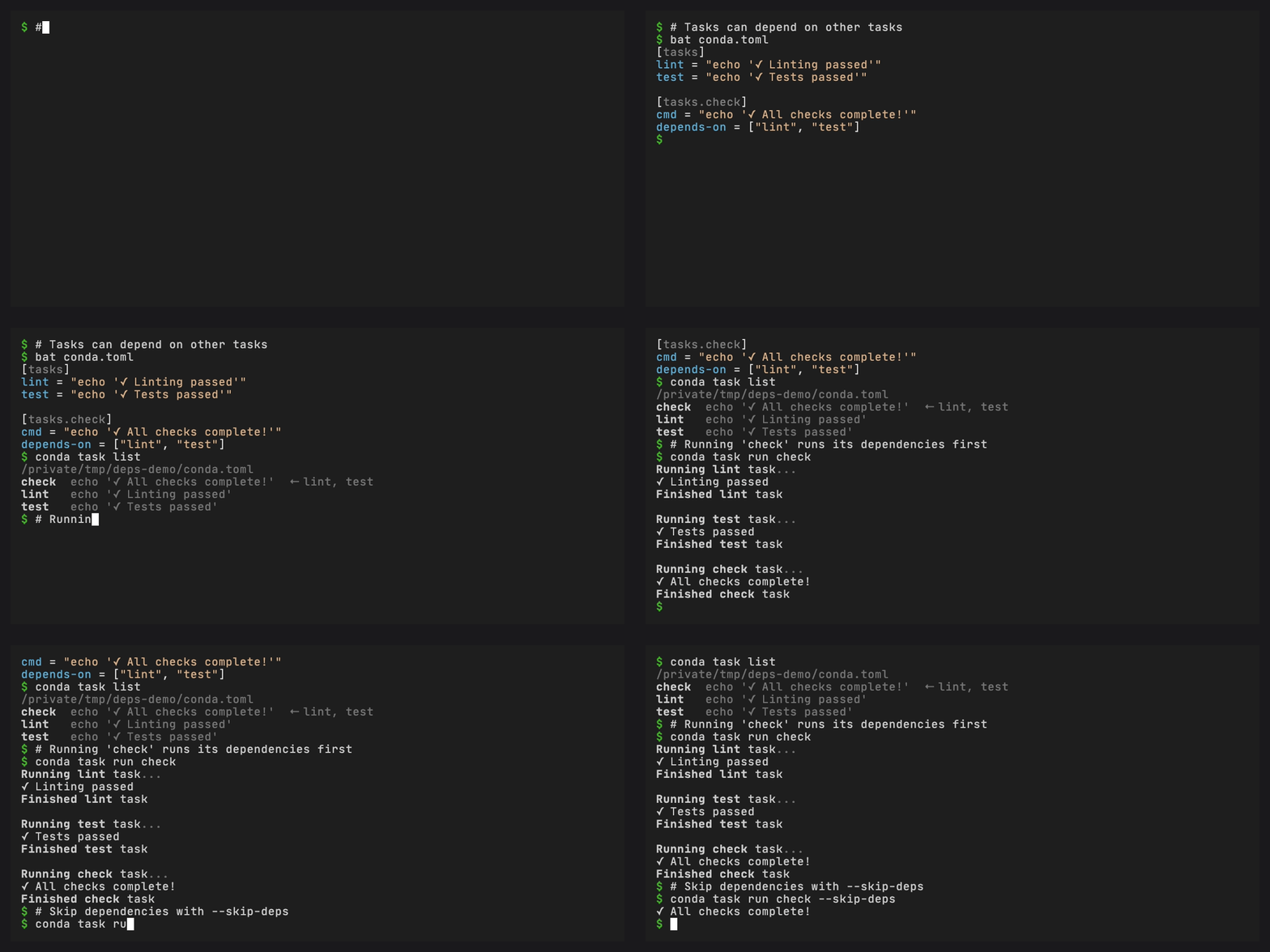
Tasks can depend on other tasks. Topological ordering makes each dependency run before the task that needs it:
[tasks]
compile = { cmd = "gcc -o main main.c", description = "Compile the program" }
test = { cmd = "./main --test", depends-on = ["compile"], description = "Run tests" }

[tasks.check]
depends-on = ["test", "lint"]
description = "Run all checks"
Running conda task run check resolves the full dependency graph and
runs each task in order.
Task aliases#
Tasks with no cmd that only list dependencies act as aliases:
[tasks.check]
depends-on = ["test", "lint", "type-check"]
description = "Run all checks"
Task arguments#
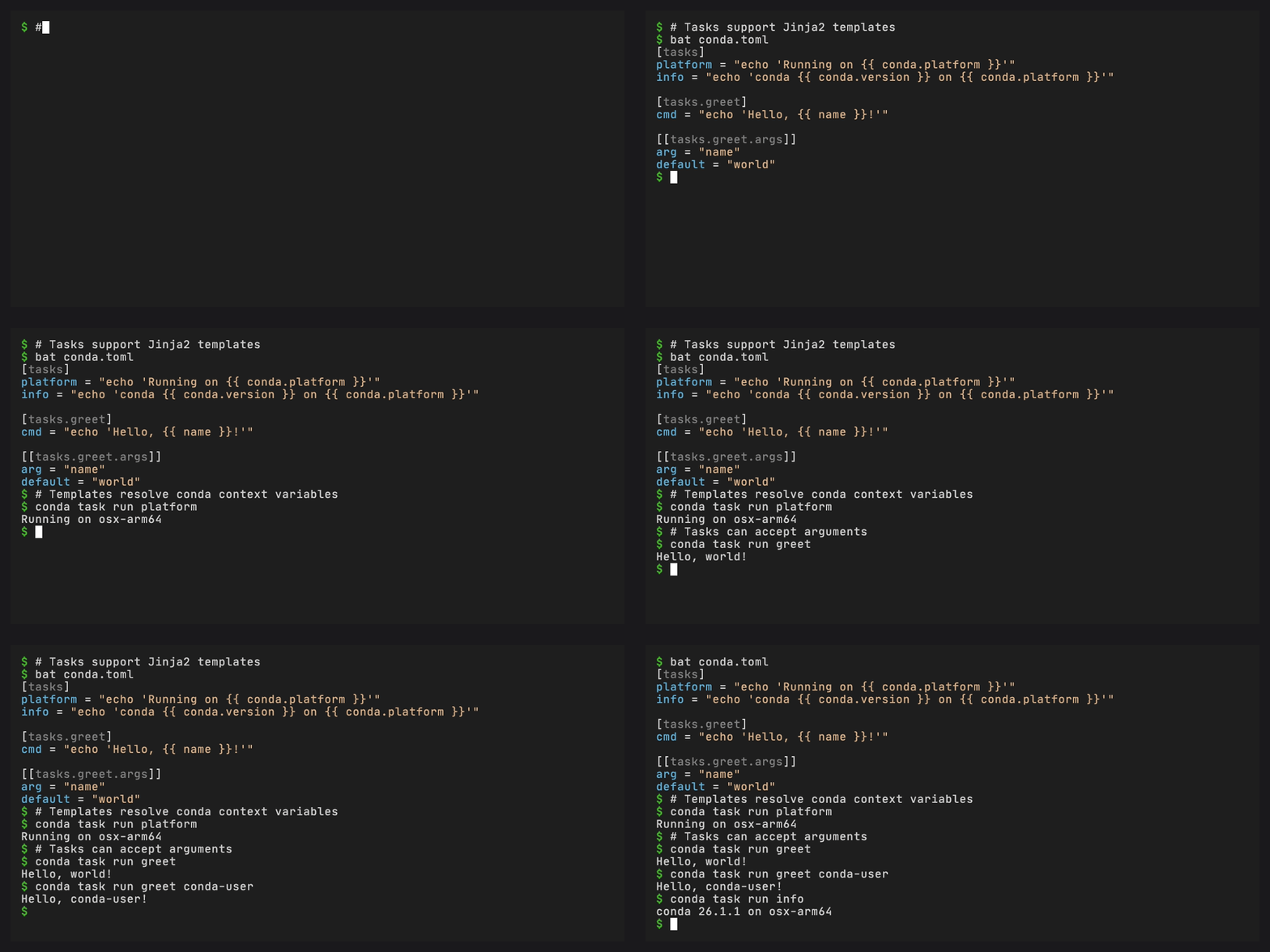
Tasks can accept named arguments with optional defaults:
[tasks.test]
cmd = ["pytest", "{{ test_path }}", "-v"]
args = [
  { arg = "test_path", default = "tests/" },
]
description = "Run tests on a path"
Run with:
conda task run test src/tests/
Use list-form commands when referencing named arguments. Each rendered list item stays one argument, including spaces and shell metacharacters. String commands reject named-argument references, including filters and conditionals, because quoting a value before inserting it into shell source is unsafe.
To migrate cmd = "pytest {{ test_path }} -v", use the list form above.
A shell task can put a named argument in its env table and have the program
read that environment variable directly. Do not interpolate untrusted values
into an interpreter’s code argument, such as sh -c or python -c.
Template variables#
Commands support Jinja2 templates with conda.* context variables:
Variable |
Description |
|---|---|
|
Current platform (e.g. |
|
Selected task environment name, or active environment name when none is selected |
|
Selected task environment name, or active environment name when none is selected |
|
Selected task environment prefix, or active target prefix when none is selected |
|
conda version |
|
Path to the task file |
|
Current working directory at rendering time |
|
|
|
|
|
|
|
|
When reading from pixi.toml, {{ pixi.platform }} etc. also work as
aliases.
Each executable task renders these values from the environment in which it
will run. This includes -e, default-environment, and an environment
selector on a dependency. Dependency argument values and templated ad-hoc
commands follow the same rule.
Task environment variables#
[tasks.test]
cmd = "pytest"
env = { PYTHONPATH = "src", DATABASE_URL = "sqlite:///test.db" }
Clean environment#
Run a task with only essential environment variables:
[tasks]
isolated-test = { cmd = "pytest", clean-env = true }
Or via CLI: conda task run test --clean-env
Task caching#
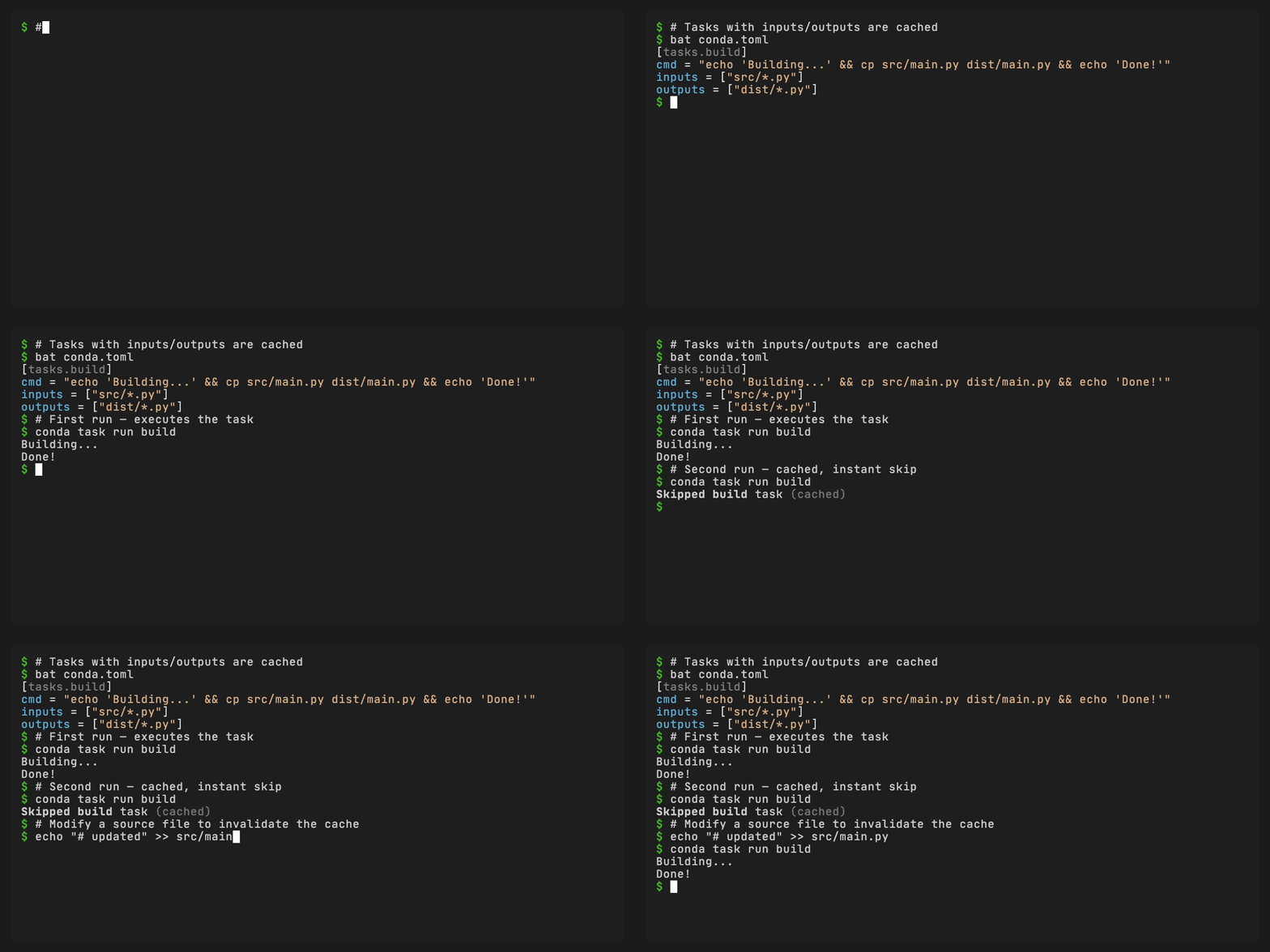
When inputs and outputs are specified, tasks are cached and
re-execution is skipped when inputs haven’t changed:
[tasks.build]
cmd = "python -m build"
inputs = ["src/**/*.py", "pyproject.toml"]
outputs = ["dist/*.whl"]
Tip
The cache compares SHA-256 fingerprints for declared inputs and outputs instead of timestamps. The selected environment prefix, or the current conda prefix when no environment is selected, is part of the cache identity, so switching environments reruns the task.
Platform-specific tasks#
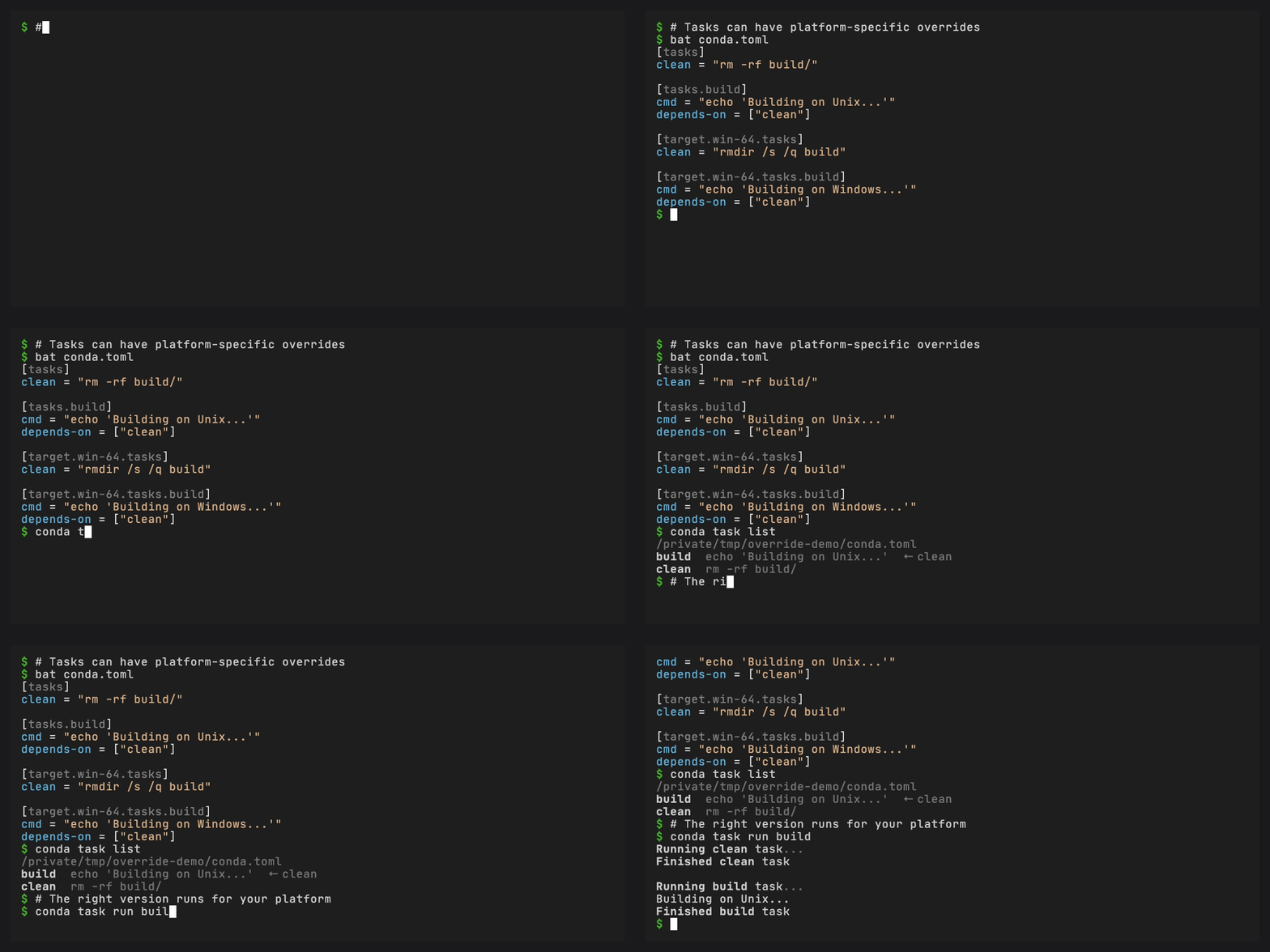
Override task fields per platform using the target key:
[tasks]
clean = "rm -rf build/"

[target.win-64.tasks]
clean = "rd /s /q build"
[tasks]
clean = "{% if conda.is_win %}rd /s /q build{% else %}rm -rf build/{% endif %}"
Task environment targeting#
Changed in version 0.4.0: When a task is defined in a manifest that also declares workspace
environments, conda task run now falls back to the workspace’s default
environment instead of whatever conda environment happens to be active. Tasks
without a workspace (tasks-only manifests) still use the current conda
environment. -e <env> and a task’s default-environment key continue to take
precedence.
Tasks defined alongside workspace environments run in the workspace’s
default environment when it is installed. If that environment is not
installed, the task runs in the current shell. Override with -e <env>:
conda task run test -e myenv
Tasks can also declare a default environment:
[tasks.test-legacy]
cmd = "pytest"
default-environment = "py38-compat"
Explicit environment selectors must name an installed workspace environment.
This includes -e <env>, default-environment, and the environment field on
a task dependency. A missing or uninstalled selected environment reports an
error instead of silently running the command in the current shell. Tasks-only
manifests do not define workspace environments, so these selectors require a
workspace table.
Aliases have no command to run in an environment. When an alias is another
task’s dependency, put environment or default-environment on each
executable task inside the alias instead. Environment selectors on nested
aliases are rejected rather than silently falling back to another shell. A
target alias can still use default-environment as its invocation fallback.
User-level tasks#
Define tasks in ~/.config/conda/tasks.toml to make them available in
any directory without repeating definitions:
[tasks]
fmt = { cmd = "ruff format .", description = "Format Python files" }
clean = { cmd = "git clean -fdx -e .conda", description = "Remove untracked files" }
check = { cmd = "ruff check --fix .", description = "Lint and auto-fix" }
User tasks act as defaults. If a local manifest defines a task with the
same name, the manifest task takes precedence. conda task list marks
user-sourced tasks with (user) so you can tell where each task comes
from:
$ conda task list
  build    python -m build
  test     pytest tests/ -v
  fmt      ruff format .        (user)
  clean    git clean -fdx ...   (user)
User tasks work even outside a workspace. See User-level tasks for file location details and merge semantics.