
Coming from pixi#
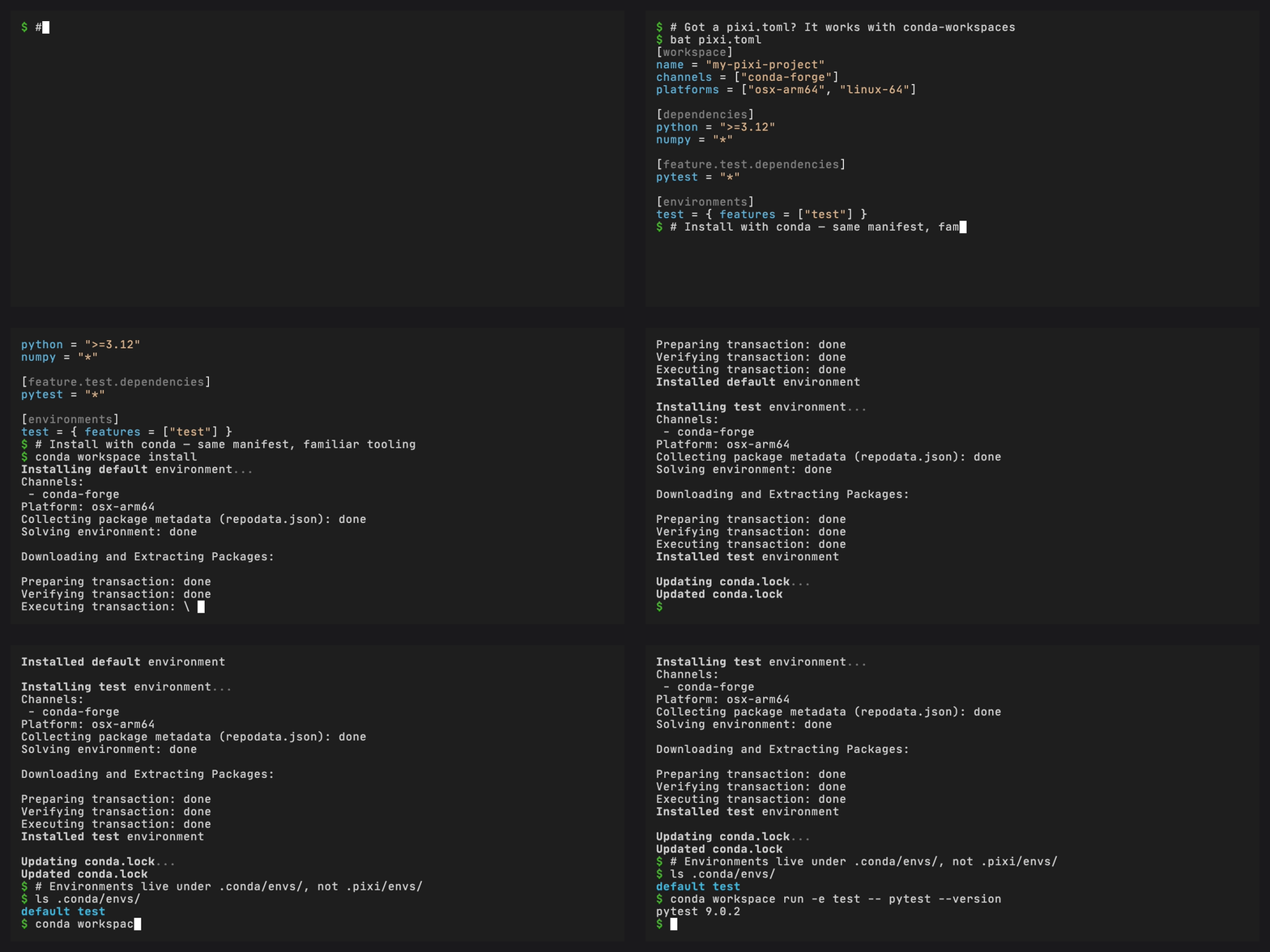
If you already use pixi for workspace management and tasks, conda-workspaces can read the same manifest files. This guide explains how the two tools relate and how to use them side by side.
Key differences#
Aspect |
pixi |
conda-workspaces |
|---|---|---|
Solver |
rattler (bundled) |
configured conda solver backend |
Environment location |
|
|
Lock file |
|
|
Task runner |
Built-in |
Built-in ( |
Template engine |
MiniJinja (Rust) |
Jinja2 (Python) |
Shell |
|
Native platform shell |
Package builds |
pixi-build (rattler-build) |
conda-build (separate) |
CLI |
|
|
Using both tools#
Since pixi stores environments in .pixi/envs/ and conda-workspaces
uses .conda/envs/, both tools can use the same workspace:
# pixi users
pixi install
pixi run test

# conda users
conda workspace install
conda task run test
Both read the same supported pixi.toml (or pyproject.toml)
workspace and task definitions.
Command mapping#
pixi |
conda-workspaces |
|---|---|
|
|
|
|
|
|
|
|
|
|
|
|
|
|
|
|
|
|
|
|
|
|
|
|
|
|
|
|
|
|
|
|
|
|
|
|
|
|
|
|
|
|
Template compatibility#
pixi uses MiniJinja (Rust) and conda-workspaces uses Jinja2 (Python). The template syntax is identical for all practical purposes:
{{ pixi.platform }}works in conda-workspaces when reading frompixi.toml{{ conda.platform }}is available everywhereJinja2 supports a few extra filters not present in MiniJinja, but you are unlikely to hit any incompatibilities going the other direction
Shell differences#
pixi uses deno_task_shell, a cross-platform shell that understands
commands like rm on Windows. conda-workspaces uses the native platform
shell (sh on Unix, cmd on Windows).
For cross-platform compatibility, use platform overrides:
[tasks]
clean = "rm -rf build/"

[target.win-64.tasks]
clean = "rd /s /q build"
Or use Jinja2 conditionals:
[tasks]
clean = "{% if conda.is_win %}rd /s /q build{% else %}rm -rf build/{% endif %}"
Using conda.toml instead#
If your team uses only conda, you can use conda.toml instead of
pixi.toml. The core workspace, feature, environment, dependency, and
task tables use the same structure:
conda workspace init --format conda
This creates a conda.toml file with the same workspace/feature/
environment/task structure, with these differences:
conda.tomluses[workspace]exclusively (no[project]fallback)conda.tomlis searched first, beforepixi.tomlandpyproject.toml
Embedded in pyproject.toml#
You can also embed workspace and task configuration in pyproject.toml:
# Preferred: under [tool.conda.*]
[tool.conda.workspace]
channels = ["conda-forge"]
platforms = ["linux-64", "osx-arm64"]

[tool.conda.dependencies]
python = ">=3.10"

[tool.conda.tasks]
test = "pytest tests/ -v"

# Also supported: [tool.pixi.*]
# (same format pixi uses)
Converting to conda.toml#
If you want to convert your entire pixi.toml manifest (workspace
configuration, dependencies, and tasks) to conda.toml, use the
import command:
conda workspace import pixi.toml
This reads the supported workspace and task fields from your
pixi.toml and writes a conda.toml. Use --dry-run to preview the
output, or -o custom.toml to choose a different output path.
To export only tasks, use the task export command instead:
conda task --file pixi.toml export -o conda.toml
Cross-platform solving#
Changed in version 0.4.0: conda workspace lock now writes a single multi-platform
conda.lock covering every platform declared in the manifest,
matching pixi lock.
Added in version 0.4.0: Conservative virtual package baselines are seeded automatically
for cross-platform solves: CONDA_OVERRIDE_GLIBC=2.17 for
linux-64, CONDA_OVERRIDE_OSX=11.0 for osx-arm64, 10.15 for
osx-64, and a CONDA_OVERRIDE_WIN=0 presence marker for win-*.
This mirrors rattler’s VirtualPackages::detect_for_platform, so
most cross-compiles resolve without any manifest changes.
conda workspace lock writes a multi-platform conda.lock just like
pixi lock. It iterates over every platform listed under
[workspace] / [project] and solves each one in isolation, pointing
conda’s context._subdir at the target so __linux / __osx /
__win virtual packages line up with the target platform.
Pixi-style rich platform entries are accepted in workspace.platforms.
The declared name is used for feature restrictions and lockfile keys,
while conda solves against the backing subdir:
[workspace]
platforms = [
  "linux-64",
  { name = "linux-64-cuda", platform = "linux-64", cuda = "12.0" },
]

[feature.gpu]
platforms = ["linux-64-cuda"]
Conservative virtual package baselines are applied automatically:
solving linux-64 from macOS seeds CONDA_OVERRIDE_GLIBC=2.17 for
the solve, osx-arm64 targets get CONDA_OVERRIDE_OSX=11.0, osx-64
gets 10.15, and win-* targets get a CONDA_OVERRIDE_WIN=0
presence marker. This mirrors rattler’s
VirtualPackages::detect_for_platform, so most cross-compiles resolve
without any manifest changes.
To override these baselines, export a CONDA_OVERRIDE_* environment
variable or pin the minimum in [system-requirements]:
[system-requirements]
glibc = "2.28"
cuda = "12.0"
A [system-requirements] version sets the baseline override so the
solver’s __<pkg> >=<version> spec matches the virtual package record.
__cuda and __archspec are not auto-seeded. Set them through
[system-requirements] or CONDA_OVERRIDE_* when you need them. The
[system-requirements] manifest form is shared with pixi. CONDA_OVERRIDE_* is conda-specific.
What’s not supported#
Some pixi-only concepts don’t apply to conda-workspaces:
[package]/ pixi-build: use conda-build instead[host-dependencies]/[build-dependencies]: part of pixi-builddeno_task_shell: conda-workspaces uses native platform shellssolve-group: accepted for compatibility but has no effect (conda’s solver operates on a single environment at a time)
See DESIGN.md for the compatibility mapping.