
Archives#
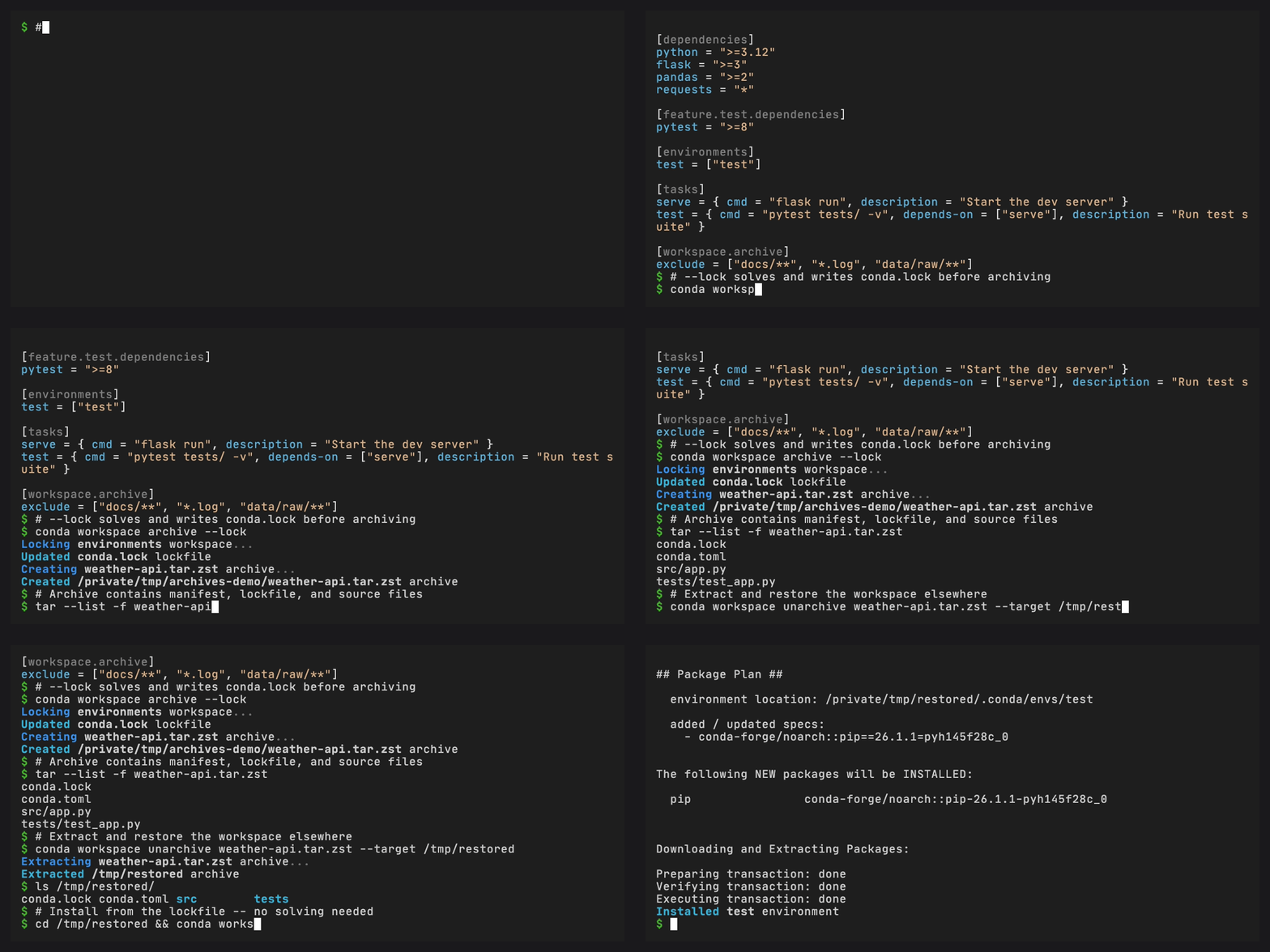
Package a workspace into a portable archive, then restore it on another machine or in CI.
Prerequisites#
conda (>= 26.3) with the conda-workspaces plugin installed
A workspace with a manifest (
conda.toml,pixi.toml, orpyproject.toml) andconda.lock
Create a workspace archive#
An archive bundles your manifest, lockfile, and source files into a
single .tar.zst, .tar.gz, or .tar.bz2 file. In a git repo, only
tracked files are included.
conda workspace archive -o my-project.tar.zst
The resulting file contains everything needed to reproduce the workspace elsewhere:
my-project.tar.zst
  conda.toml
  conda.lock
  src/
    app.py
    ...
The selected workspace manifest and conda.lock must be regular files.
Replace either symlink with a regular file before creating an archive.
Archives created by other tools must also store these root members as
regular files before unarchive --install can use them.
An installable archive must contain exactly one valid root workspace manifest:
conda.toml, pixi.toml, or a workspace-bearing pyproject.toml. Remove
extra root manifests before creating the archive.
If no -o is given, the archive is named after the workspace
(<name>.tar.zst) and placed in the workspace root. The workspace name
must be a single filename segment for this default. Pass -o/--output
when you want to write the archive somewhere else.
Use gzip compression#
For broader compatibility, use a .tar.gz extension:
conda workspace archive -o my-project.tar.gz
Exclude files#
Configure permanent file exclusions in your manifest:
[workspace.archive]
exclude = ["docs/**", "*.log", "data/raw/**"]
Or pass one-off exclusions on the command line:
conda workspace archive --exclude "benchmarks/**" --exclude "*.csv"
Both sources are combined. Built-in exclusions (.git, __pycache__,
.conda/envs, .pixi, and common credential material such as .env,
.ssh, .aws, and .npmrc) always apply regardless of configuration.
Extract an archive#
Extract the archive on the receiving machine:
conda workspace unarchive my-project.tar.zst
This creates a my-project/ directory (derived from the archive
filename) containing the full workspace. To choose a different
location:
conda workspace unarchive my-project.tar.zst --target /path/to/destination
The target path must be absent. unarchive refuses to extract over an
existing file, link, or directory, including an empty directory. Remove an
empty target before retrying.
After extraction, install the environments from the lockfile:
cd my-project
conda workspace install --locked
Extract and install in one step#
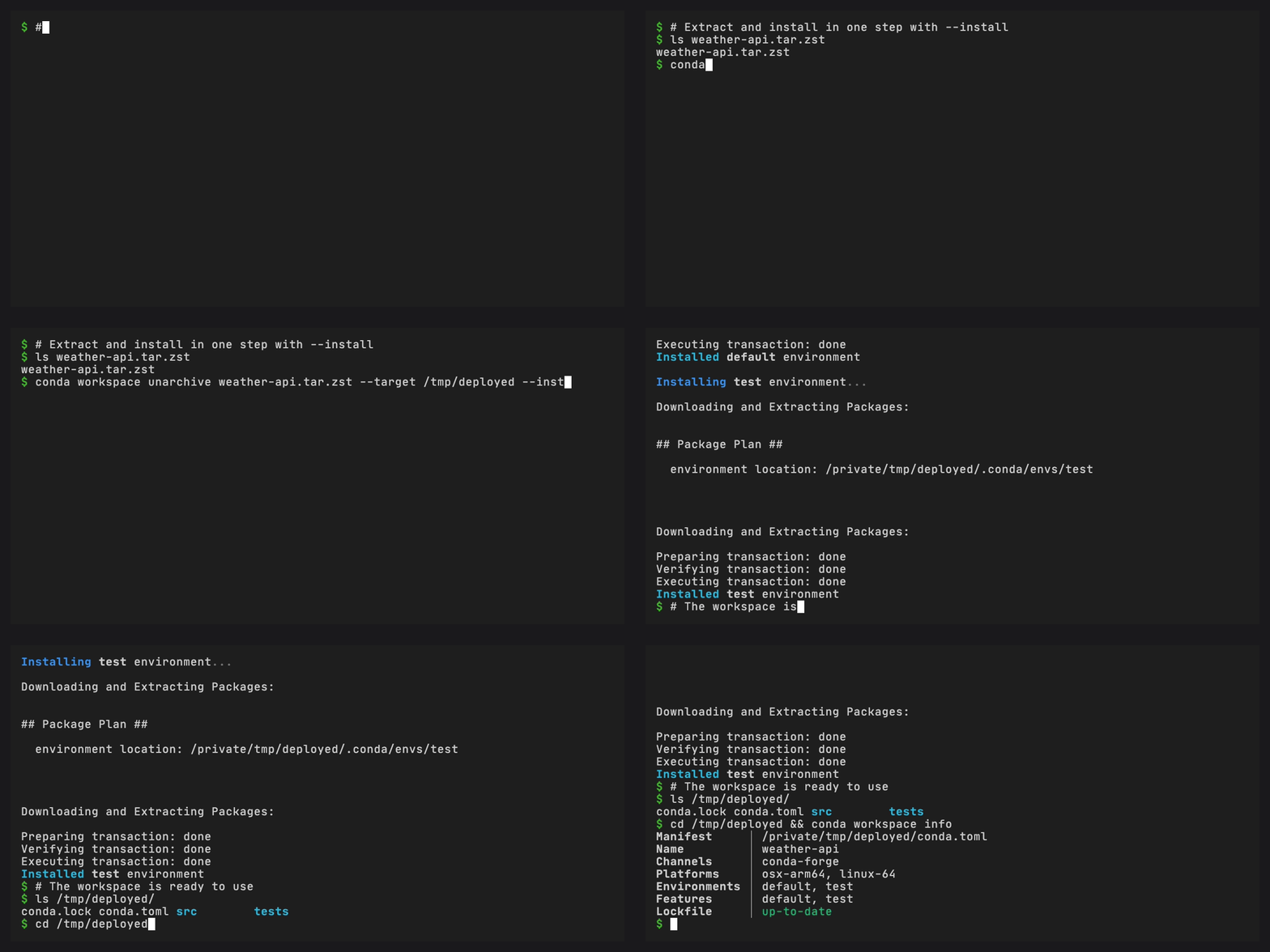
Pass --install to extract the archive and install all environments
from the lockfile in a single command:
conda workspace unarchive my-project.tar.zst --target /path/to/destination --install
This extracts the archive, then runs the equivalent of
conda workspace install --locked in the extracted workspace.
Install an environment to an explicit prefix#
Use -e/--environment with --prefix to install one archived workspace
environment to a final runtime prefix:
conda workspace unarchive my-project.tar.zst \
  --target /tmp/workspace \
  --install \
  -e runtime \
  --prefix /opt/runtime
This extracts the workspace into /tmp/workspace and installs the
runtime environment from the lockfile directly at /opt/runtime.
For image builders or staged filesystem roots, add --dest:
conda workspace unarchive my-project.tar.zst \
  --target /tmp/workspace \
  --install \
  --dest /tmp/rootfs \
  -e runtime \
  --prefix /opt/runtime
With --dest, files are written under /tmp/rootfs/opt/runtime, but
the environment’s final runtime prefix remains /opt/runtime.
unarchive warns if any installed files still reference the physical
staging prefix.
Lock before archiving#
If your lockfile is out of date or does not exist yet, pass --lock
to solve and write conda.lock before creating the archive:
conda workspace archive --lock
This is equivalent to running conda workspace lock followed by
conda workspace archive in a single command.
Preview archive operations#
Preview archive creation with --dry-run:
conda workspace archive --lock --receipt --dry-run -o my-project.tar.zst
The command validates the workspace and solves the requested lock data, then reports the archive and receipt paths without writing any of them.
Preview extraction and installation the same way:
conda workspace unarchive my-project.tar.zst \
  --target /tmp/workspace \
  --install \
  --dry-run
The archive is staged in a temporary directory so its manifest, lockfile, packages, and optional receipt follow the same validation path as a real extraction. The staging directory is discarded, the requested target and package cache remain unchanged, and no environment prefix is created or changed.
Write a receipt for verification#
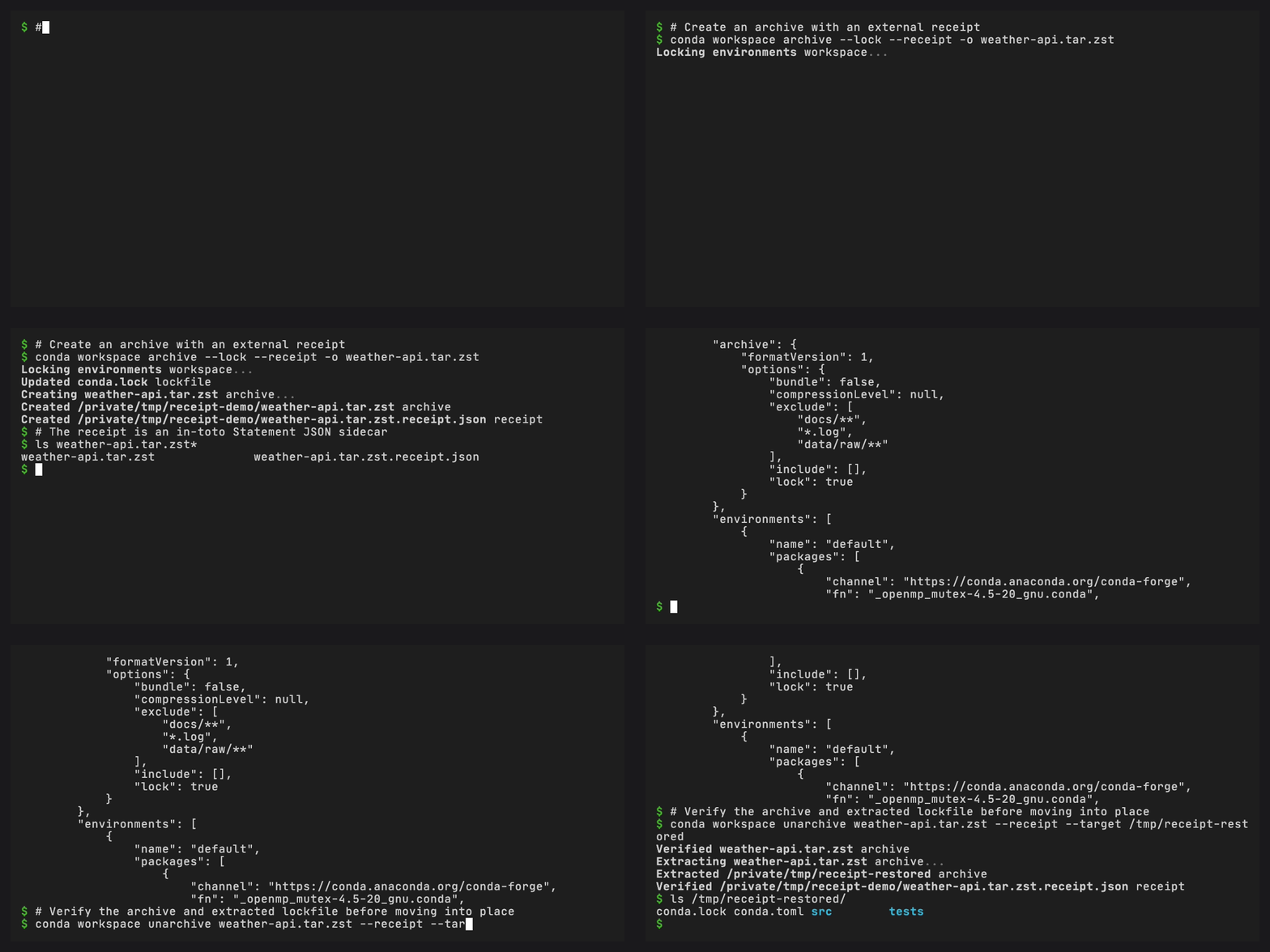
Pass --receipt to write an external JSON receipt next to the archive:
conda workspace archive --lock --receipt -o my-project.tar.zst
This creates:
my-project.tar.zst
my-project.tar.zst.receipt.json
The receipt is an in-toto Statement that records SHA-256 digests for
the archive, the manifest, and conda.lock, plus a per-environment
package inventory from the lockfile. Use an explicit receipt path when
your release process stores attestations separately:
conda workspace archive \
  --receipt attestations/my-project.receipt.json \
  -o dist/my-project.tar.zst
On the receiving side, pass --receipt to verify before the workspace
is moved into place:
conda workspace unarchive my-project.tar.zst --receipt --target /tmp/verified
Or point to the explicit receipt path:
conda workspace unarchive dist/my-project.tar.zst \
  --receipt attestations/my-project.receipt.json \
  --target /tmp/verified
Verified extraction checks the archive digest before extraction, then extracts to a temporary staging directory, verifies the extracted manifest, lockfile, and package inventory, and only then moves the workspace to the target. The target path must be absent.
Receipts require both the manifest and conda.lock to be present in the
archive. If include, exclude, or --exclude filters would remove
either file, conda workspace archive --receipt fails before writing
the archive or receipt.
For stricter package inventory checks, require every compared package record to include SHA-256:
conda workspace unarchive my-project.tar.zst \
  --receipt \
  --require-sha256 \
  --target /tmp/verified
Bundle packages for offline use#
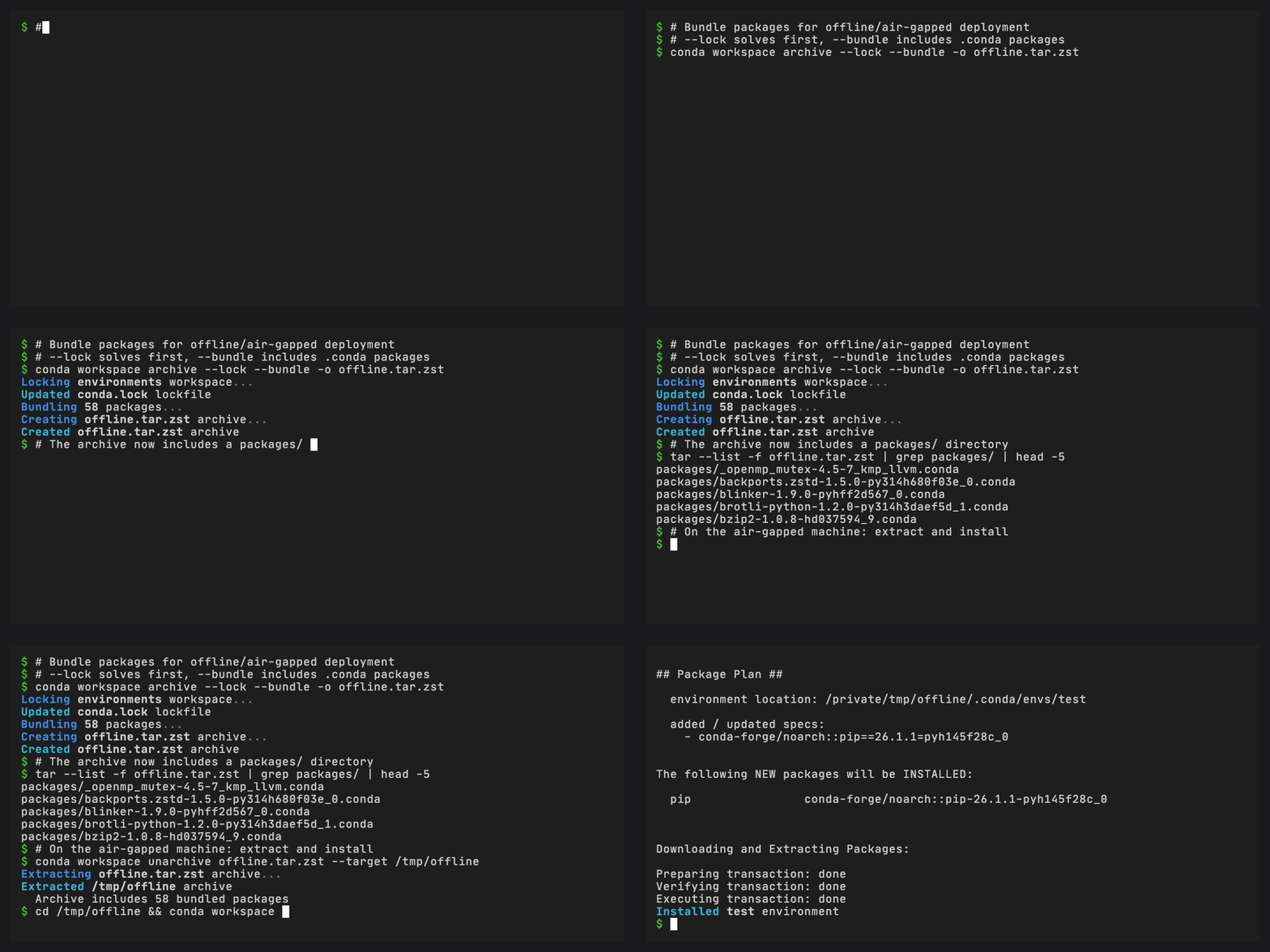
When the target machine has no internet access, use --bundle to
include all resolved conda package archives (.conda or .tar.bz2)
inside the archive.
You need a lockfile first. Pass --lock to generate one automatically,
or run conda workspace lock beforehand.
conda workspace archive --lock --bundle -o my-project-offline.tar.zst
This adds a packages/ directory inside the archive. Package hashes
are verified against the lockfile before bundling. Archives created by
other tools must store each package file directly under packages/,
without nested directories or links.
On the receiving end, pair bundled archives with a receipt when you want
conda workspace unarchive to verify the external integrity record and
copy bundled packages into the local conda cache before installation:
conda workspace archive --lock --bundle --receipt -o my-project-offline.tar.zst
CONDA_OFFLINE=true conda workspace unarchive my-project-offline.tar.zst \
  --receipt \
  --install
To install offline with an empty cache in two commands, run
receipt-verified unarchive first to publish the package archives and their
conda cache records. Then run conda workspace install --locked from the
extracted workspace.
Omit --install when you only want to extract the files. Without a verified
receipt, cache priming is skipped automatically. With a verified receipt, add
--no-install when package-cache priming must also be skipped:
conda workspace unarchive my-project-offline.tar.zst --receipt --no-install
Security#
Archives are extracted with path traversal protection. Every member is
validated before extraction: absolute paths, .. components, symlinks
escaping the target directory, hardlinks, and special file types (device
nodes, FIFOs) are all rejected. Extraction also requires a supported Python
patch release that provides tarfile.data_filter. Update Python before
retrying if that filter is unavailable.
Archive creation and extraction use descriptor-relative filesystem operations when the platform provides them. On platforms without those APIs, member validation and path-based publication checks remain in place, but an active process running as the same operating-system user can still race a parent path or junction by swapping and restoring it during one operation.
When --bundle is used, package hashes are verified against the
lockfile’s SHA256 entries at archive creation and before receipt-verified
cache priming. Packages without a SHA256 entry in the lockfile are
rejected instead of being copied into the conda package cache.
Receipt verification covers package archives copied from the bundle. Conda’s
normal trust in pre-existing extracted package cache entries still applies.
Set CONDA_PKGS_DIRS to a new empty directory when an installation must not
reuse existing extracted cache contents.
Trust model for bundled archives#
The package hashes in a bundled archive match the lockfile included in the archive. The lockfile itself is not externally signed. An untrusted source could alter both the packages and the lockfile so their hashes still match.
To guard against this:
Obtain archives only from trusted sources.
Use
--receiptand distribute the receipt through a separate trusted channel when bundled packages should prime a conda package cache.Use
conda workspace install --lockedso the solver does not silently add packages beyond what the lockfile specifies.
Trust model for receipts#
A receipt is an integrity record, not a signature. It can detect that an archive, extracted manifest, extracted lockfile, or lockfile package inventory differs from the receipt. It does not prove who created the receipt.
For provenance-sensitive workflows, distribute the receipt through a
separate trusted channel or sign it with your release signing system.
Pair --receipt with --bundle when you want one archive to carry the
package artifacts and one sidecar receipt to bind the archive to the
lockfile inventory.
Next steps#
Archive configuration for all archive settings
Archives for a feature overview
Archive receipt reference for the receipt JSON format and verification rules
CLI reference for the full
archiveandunarchivecommand-line options