
Manage package metadata#
Package names and versions come from conda repodata. conda-completion
collects that metadata during conda completion generate and reuses it
for 24 hours to keep normal regeneration fast.
To get new package metadata before the 24-hour reuse window expires, run
conda completion refresh. That bypasses conda-completion’s reuse of its
generated package files.
Metadata is collected through conda’s own repodata APIs, so the active conda context controls channels, subdirs, credentials, proxy settings, and certificate behavior.
Understand the generated files#
Package completion uses three files in the conda-completion cache directory:
completion.msgpackContains command metadata and package names.
versions.indexMaps package names to byte offsets in the version store.
versions.storeStores sorted version lists for packages.
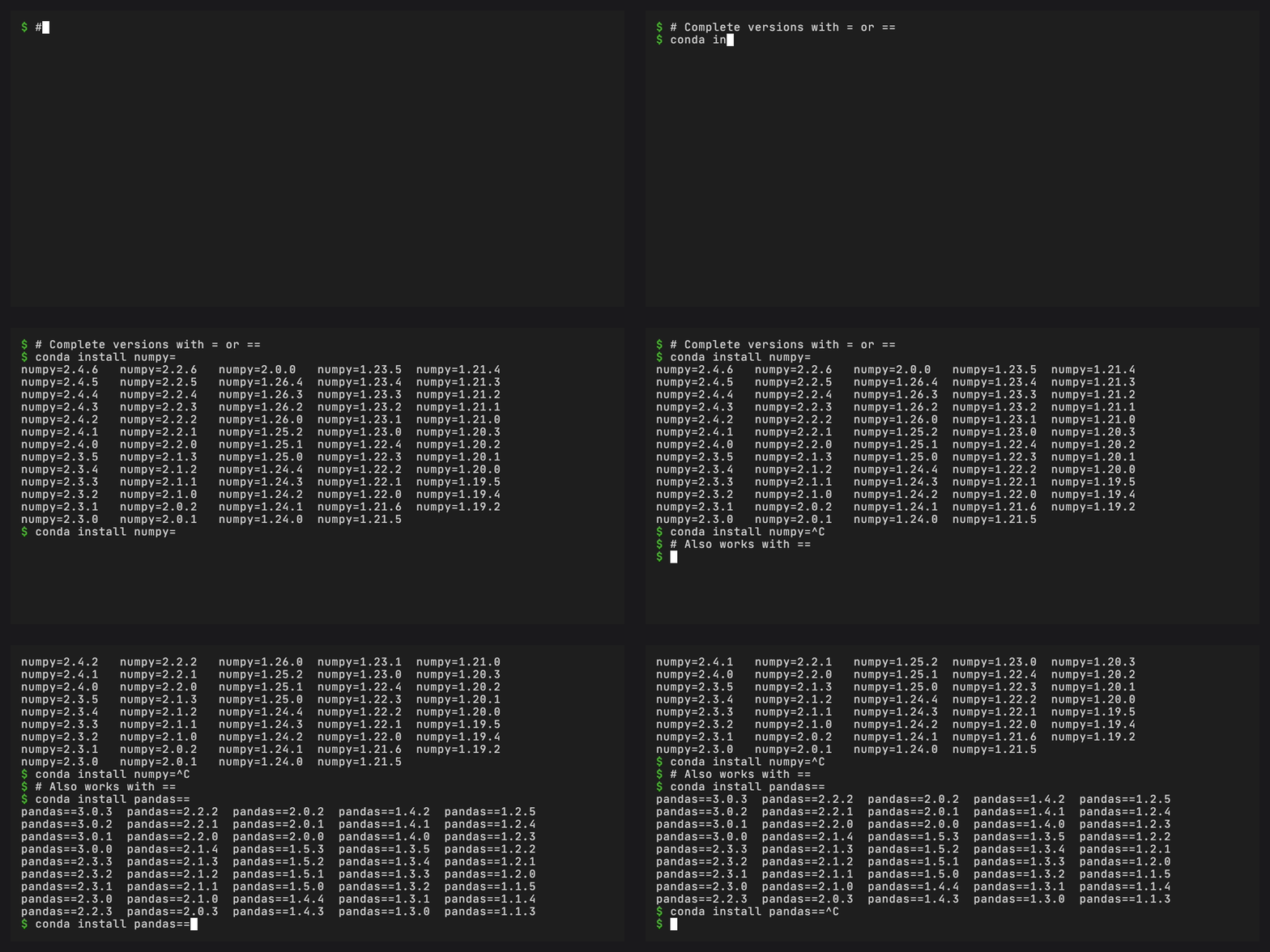
Normal package name completion reads completion.msgpack. Version
completion reads the version files only when the current word contains
= or ==.
Refresh repodata now#
Run this when a newly published package or version is missing from completion results, or when you want to bypass conda-completion’s 24-hour package metadata reuse:
conda completion refresh
This rebuilds package names in completion.msgpack and package versions
in versions.index and versions.store from conda repodata.
conda-completion still reads repodata through conda. If conda’s own index cache is stale, clear that cache first, then refresh completion metadata:
conda clean --index-cache
conda completion refresh
Skip package data#
Run this in CI, containers, or offline environments when you only need command, flag, plugin, environment, task, and channel completion:
conda completion generate --no-repodata
The same control is available during shell-hook installation:
conda completion install --yes --no-repodata
Check what exists#
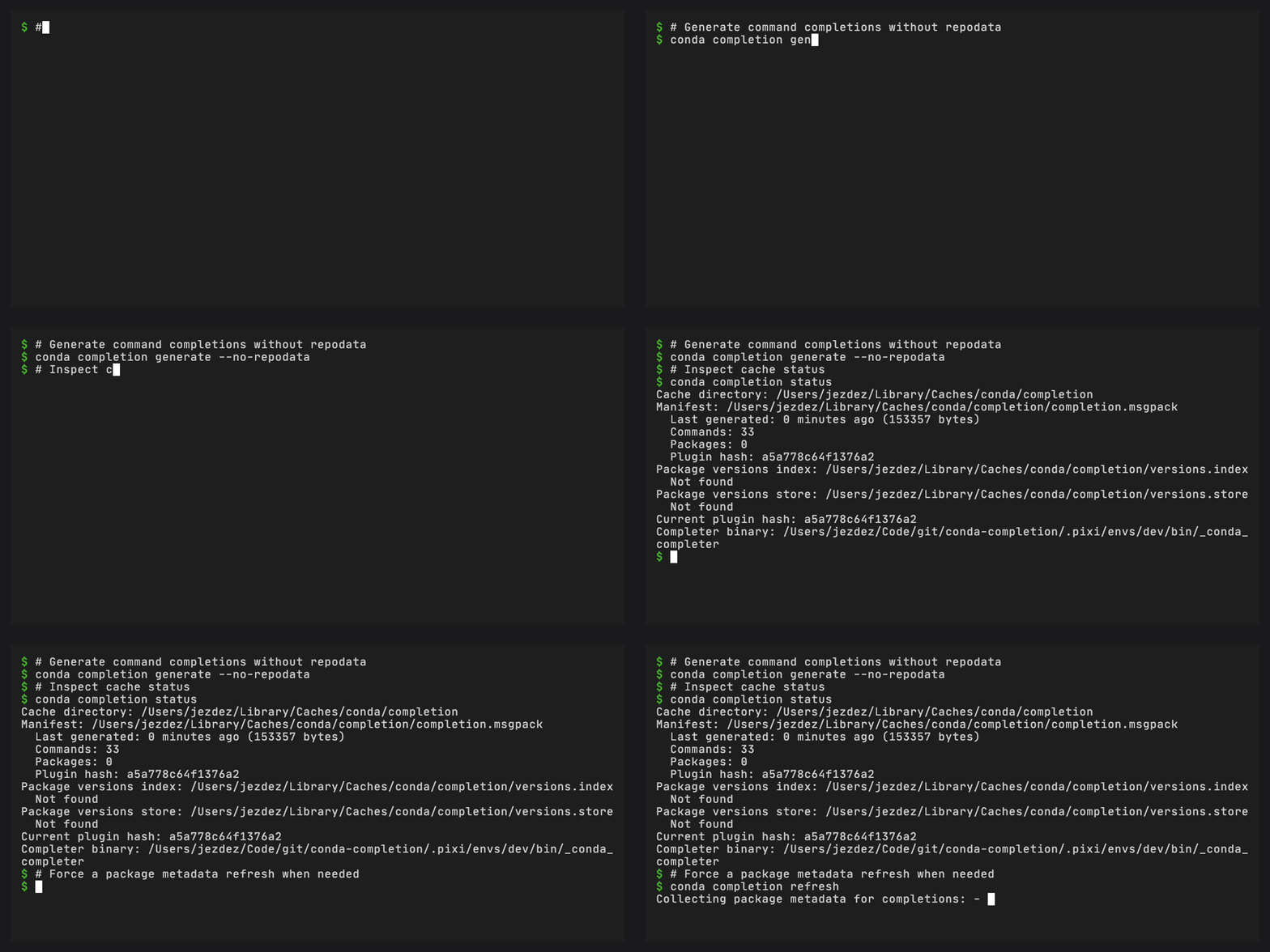
Use status to see whether package metadata files are present:
conda completion status
Look for Package versions index and Package versions store. If either
file is missing, version completion such as conda install numpy=<TAB>
will not have package-version candidates.
The package count in status comes from completion.msgpack. A package
count of zero usually means the manifest was generated with
--no-repodata or repodata could not be read.
Match the right channel configuration#
conda-completion reads package metadata from the same channels conda would use. Before refreshing, check:
conda config --show channels
conda config --show default_channels
conda info
If a package exists on a channel that is not configured, it will not appear in completion results until conda can see that channel.
To temporarily test a different channel configuration, use conda’s normal configuration mechanisms, then refresh:
conda config --add channels conda-forge
conda completion refresh
Private channel package names can be written to the local completion cache. Treat the cache directory as local developer data when private channels are configured.
For the underlying conda behavior, see conda’s channel management guide and .condarc guide.
Recover from repodata failures#
If package metadata refresh fails and existing package data is present, conda-completion preserves the existing package names and versions. If no package data exists, it still writes command and flag completion data.
For offline setup with package completion, generate once while online,
then cache the platform cache directory shown by conda completion status.
For a fuller offline workflow, see Use completion offline or on restricted networks.
Troubleshoot missing packages#
If a package or version does not complete:
Type a package prefix before pressing TAB. Empty package words do not expand the entire package universe.
Run
conda completion refresh.Confirm the channel is configured for conda.
Confirm the package exists for one of the active subdirs.
Check whether the manifest was generated with
--no-repodata.Check whether the name belongs to a PyPI-only Python package rather than a conda package.