
Features#
Plugin-aware completion#
conda-completion introspects conda’s full argparse tree after all plugins have loaded. Every plugin that registers subcommands via conda_subcommands is included when the manifest is generated. No conda-completion-specific configuration is required.
Installed plugin commands use the same manifest format as built-in commands: subcommands, flags, flag values, and help descriptions. Plugins can also attach completion metadata to argparse actions for runtime sources, command aliases, and context-sensitive positional completion rules.
Contextual completions#
The completer reads your project files to provide context-aware candidates:
environment.yml is the established conda environment file. conda.toml
support follows the emerging workspace manifest used by
conda-workspaces;
it is not a formal conda standard.
What’s completed |
Source files |
|---|---|
Environment names |
|
Environment prefixes |
|
Task names |
|
Channel names |
|
Flag and argument value completion#
The manifest captures argparse choices, common dynamic argument types,
and selected static values exposed by conda. For example:
conda config --show <TAB>completes known conda configuration keys.conda doctor <TAB>completes installed health checks.--name,--environment,--channel, and--prefixcomplete environment names, channel names, or native directory paths.
Plugin authors can provide explicit completion metadata when normal argparse names are not enough. See Plugin completions.
Descriptions alongside candidates#
In shells that support it (zsh, fish, PowerShell), each candidate is shown with its help text:
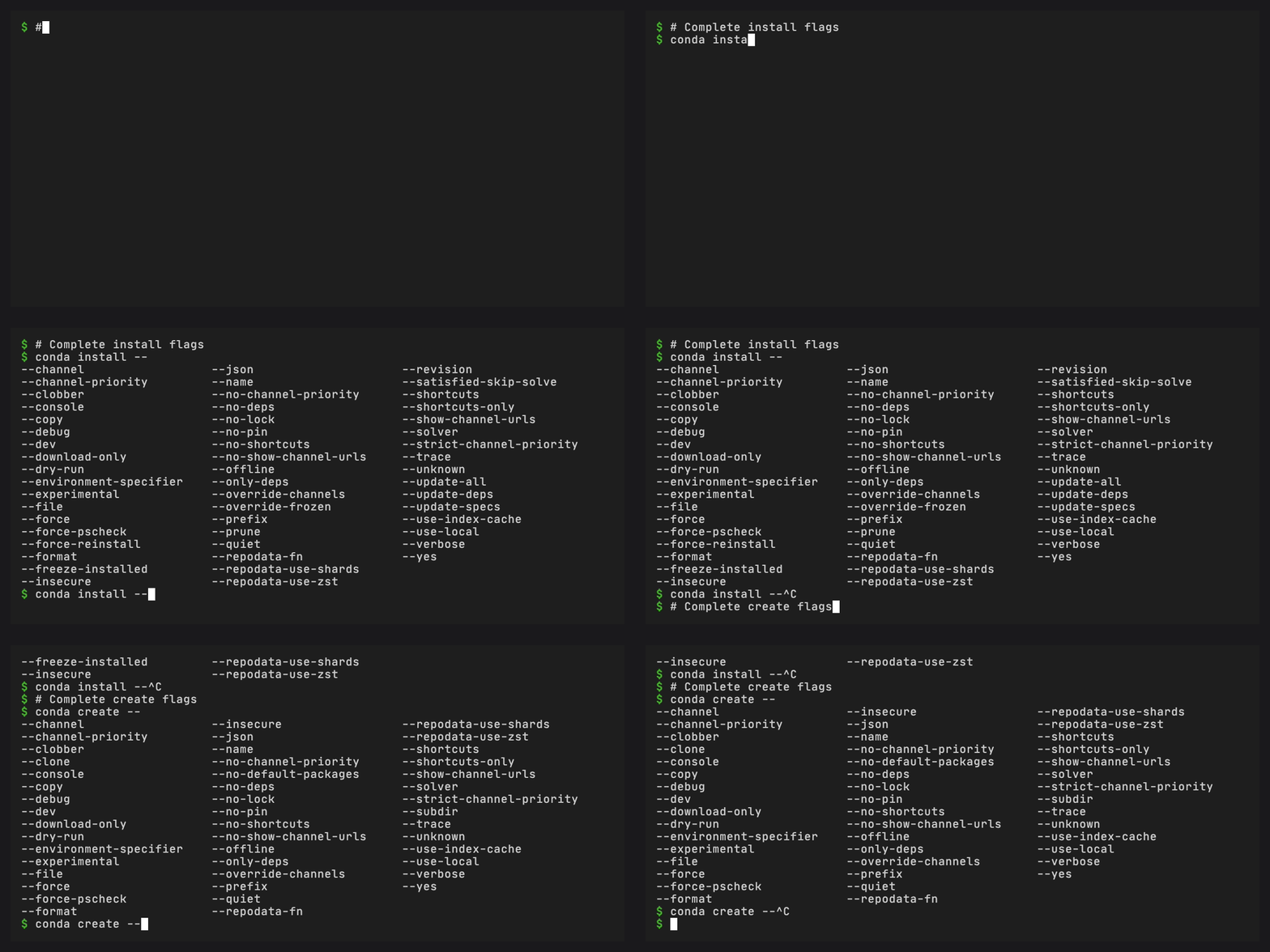
$ conda install --<TAB>
--channel     -- Additional channel to search for packages
--dry-run     -- Only display what would have been done
--name        -- Name of environment
--prefix      -- Full path to environment location
Package name completion#
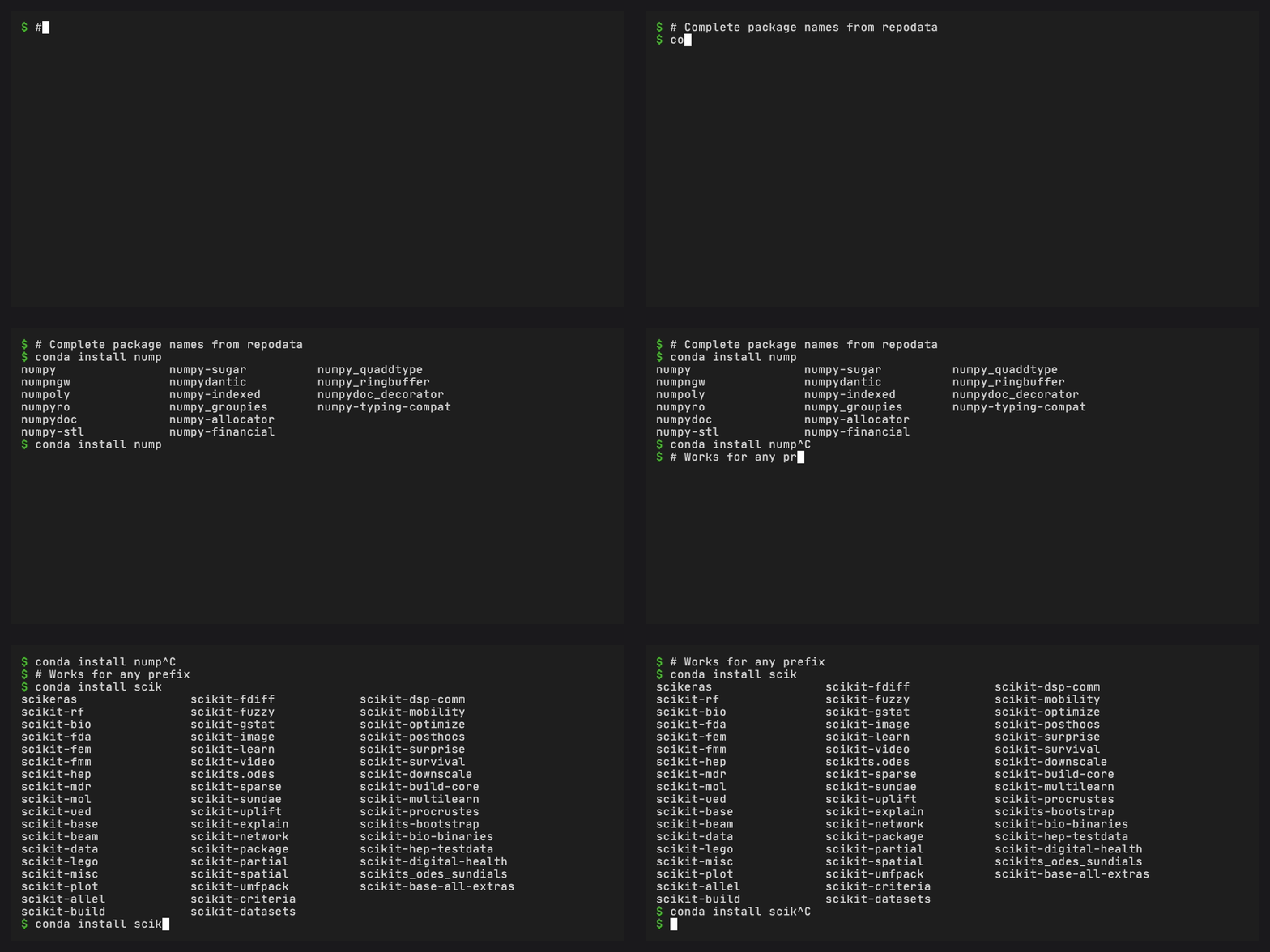
conda install nump<TAB> completes package names extracted from
configured channels during conda completion generate.
Version completion#
When = or == is detected in the current word, the completer loads
version data and lists available versions:
$ conda install numpy=<TAB>
numpy=1.26.4  numpy=2.0.0  numpy=2.1.0  ...
Version data is stored in an indexed versions.index and versions.store
pair that is only loaded when needed, keeping the common TAB press fast.
Fuzzy matching#
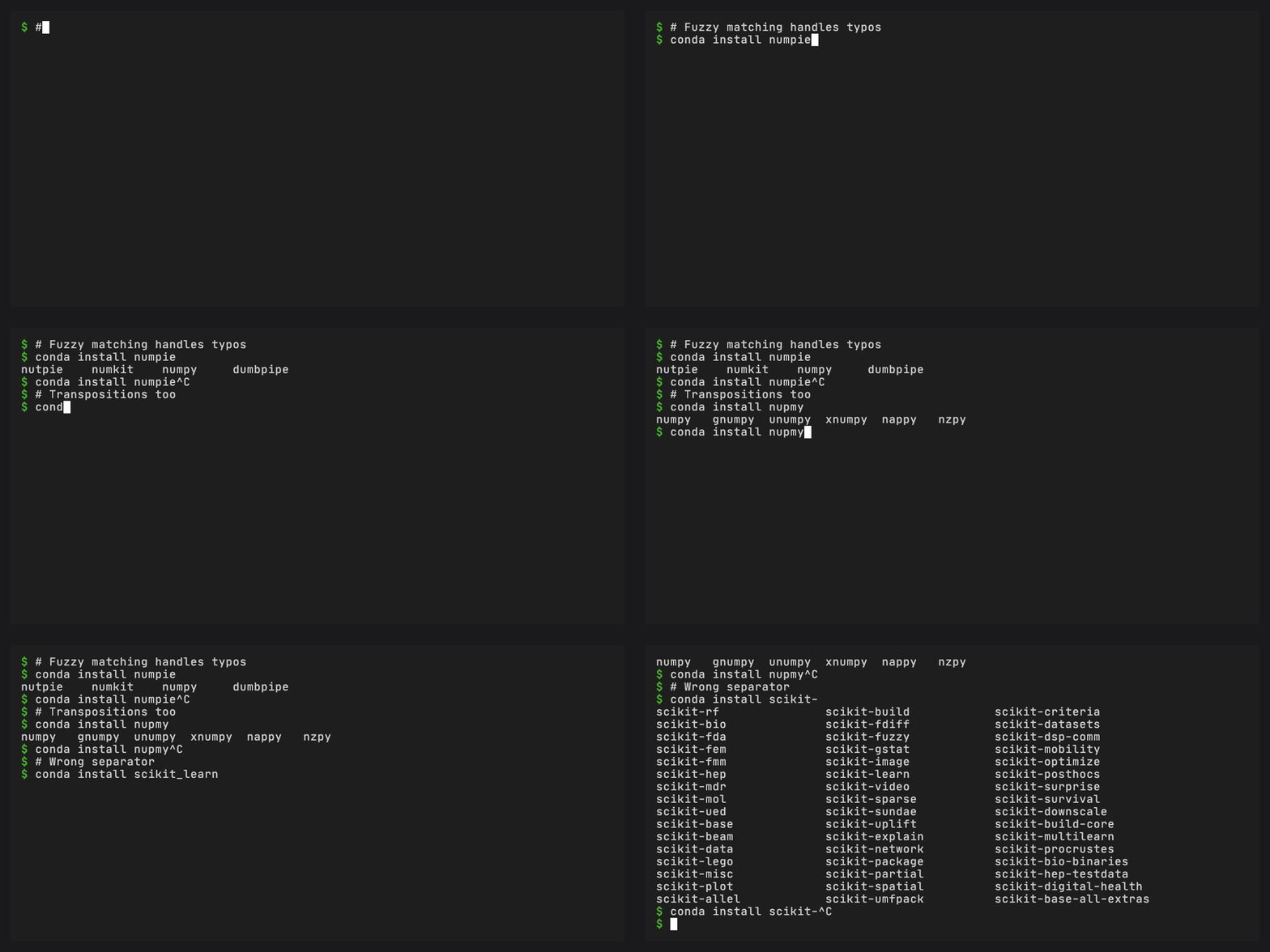
Misspelled a package name? The completer falls back to fuzzy matching
using normalized Damerau-Levenshtein similarity. Typos like numpie,
nupmy, or scikitlearn still find the right package.
The matching uses a three-stage strategy:
Prefix match – the common case, essentially free
Substring match – catches partial input anywhere in the name
Similarity match – handles typos (transpositions, insertions, deletions, substitutions) with a 0.6 threshold, capped at 10 results
No Python on TAB press#
A Rust binary handles every TAB press. No Python process starts on the hot path. A stat-based file cache avoids re-parsing project files that have not changed since the last keypress.
Automatic manifest regeneration#
After conda install, conda remove, or conda update, a post-command
hook checks whether the set of registered conda plugin entry point names
has changed. If it has, the completion manifest is regenerated
automatically. Manual regeneration is needed for plugins installed outside
conda’s package manager, and after plugin updates that change command
metadata without changing entry point names.
Repodata controls#
Package metadata is reused for 24 hours by default. Run
conda completion refresh when you want conda-completion to rebuild its
package list now, or conda completion generate --no-repodata when you
only need command, flag, plugin, and contextual completions.
Shell support#
Shell |
Notes |
|---|---|
bash |
Supported and covered by automated tests |
zsh |
Supported and covered by automated tests |
PowerShell |
Supported and covered by automated tests |
fish |
Supported and covered by automated tests |
Install and uninstall commands#
conda completion install and conda completion uninstall manage a
delimited block in your shell’s RC file. The install command is
idempotent (running it twice does not duplicate the block) and supports
--dry-run to preview changes without writing.
Fish uses the same delimited block, but stores it in fish’s autoload completion directory as a generated completion script. That avoids starting conda just to register completions in every new fish session.