
Protecting your base environment#
This tutorial walks through setting up base environment protection from scratch and understanding what happens at each step.
Before you start#
Verify conda-self is available (install with conda install -n base conda-self):
conda self --version
Check current status#
First, see if base is already protected with conda doctor:
conda doctor base-protection
If base is not protected, you will see a message indicating that the health check found an issue.
Enable protection#
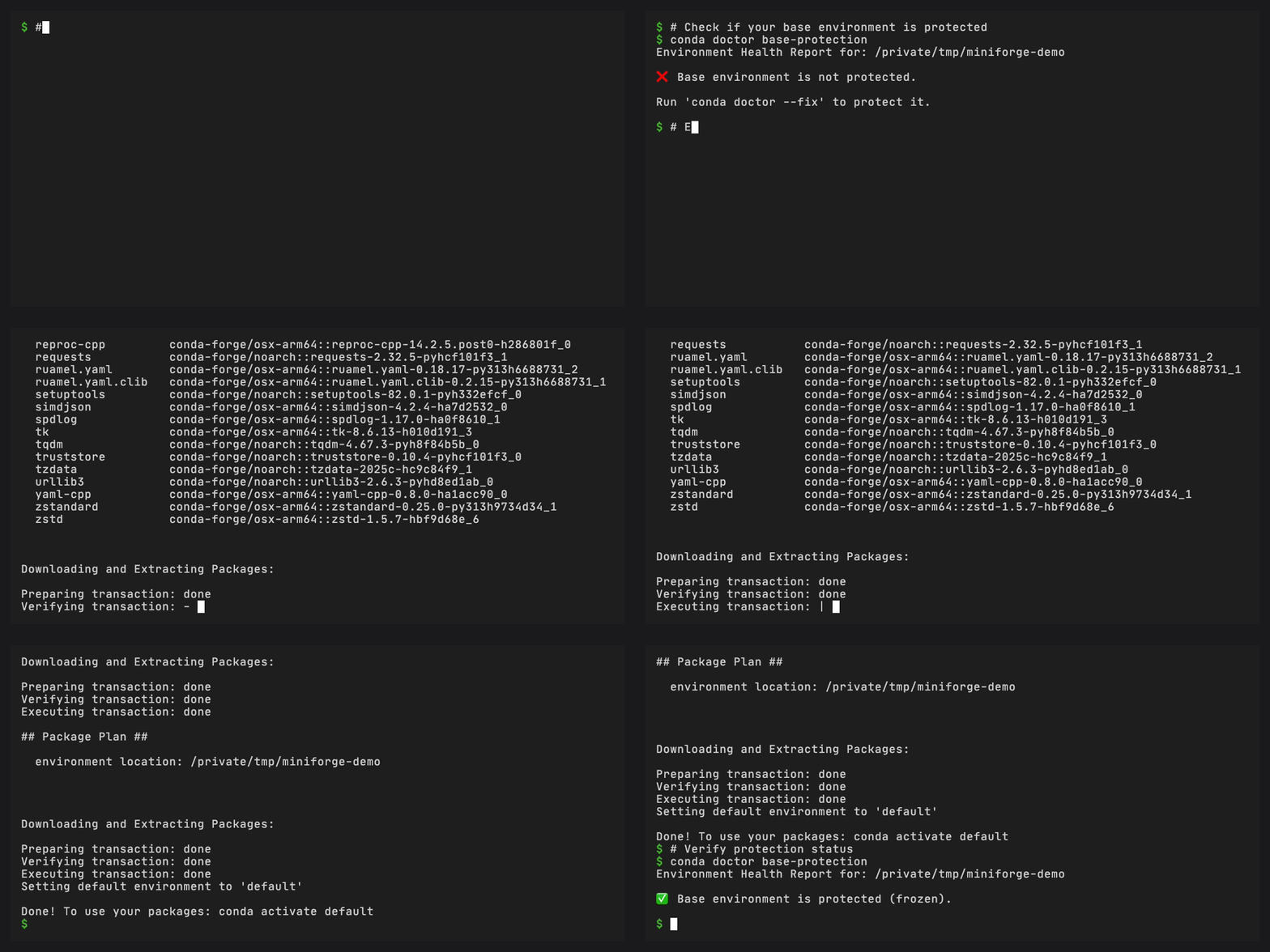
Run the fix:
conda doctor base-protection --fix
You will be prompted to confirm. Here is what happens:
Step 1: Clone base to default#
Your current base environment is cloned to a new environment called
default. All packages, including pip-installed ones, are preserved
in the clone. This is your fallback – you can activate default
and continue working as before.
conda activate default
Step 2: Save a snapshot#
A snapshot of base is saved in @EXPLICIT format to
conda-meta/base-protection-state.explicit.txt. This file lists
every package URL in the environment before the reset, enabling
exact restoration later.
Step 3: Reset base#
Base is stripped down to conda, its registered plugins, and their dependencies. Everything else is removed.
Step 4: Freeze base#
A freeze file is written to base, preventing regular conda install
from modifying it. Only conda self commands (which pass
--override-frozen) can make changes.
Verify protection#
Run the health check again:
conda doctor base-protection
It should now report that base is protected.
Try installing a regular package into base:
conda install -n base numpy
This will fail with a frozen environment error. That is the expected behavior.
Use the default environment#
Your previous packages are in the default environment:
conda activate default
python -c "import numpy; print(numpy.__version__)"
Non-conda packages#
If your base environment contains pip-installed packages, you will see a warning before protection proceeds:
Warning: Base environment contains N non-conda package(s) that will become non-functional after reset. They are preserved in the cloned ‘default’ environment.
These packages are copied to default but will not work in the
reset base. Reinstall them in default or another environment
if needed.
Next steps#
Managing plugins – Install plugins safely in the protected base
Resetting the base environment – Restore base from a snapshot
CLI reference – Full CLI reference