
Share a locked script#
This tutorial shows how to turn an inline-dependency Python script into a repeatable artifact with conda-exec lock data.
Use this when a script should keep the same resolved package set after cache cleanup, on another machine, or in CI.
Prerequisites#
conda 25.1 or later
conda-exec installed
conda-lockfiles installed for the default
rattler-lock-v6lock format
conda install -n base -c conda-forge conda-exec conda-lockfiles
Step 1: Write a metadata-backed script#
Create summary.py:
# /// script
# requires-python = ">=3.12"
#
# [tool.conda]
# channels = ["conda-forge"]
# dependencies = ["python-dateutil"]
# ///

from datetime import datetime
from dateutil.parser import isoparse

started = isoparse("2026-05-28T09:00:00+00:00")
finished = datetime.now(started.tzinfo)
print(f"elapsed seconds: {(finished - started).total_seconds():.0f}")
The # /// script block records dependency intent. It is meant to stay
small and readable.
Step 2: Run the script once#
conda exec summary.py
On the first run, conda-exec solves the environment and creates a cached prefix. Later runs reuse the cache as long as the dependency metadata does not change.
Step 3: Generate sidecar lock data#
Run the script with --lock:
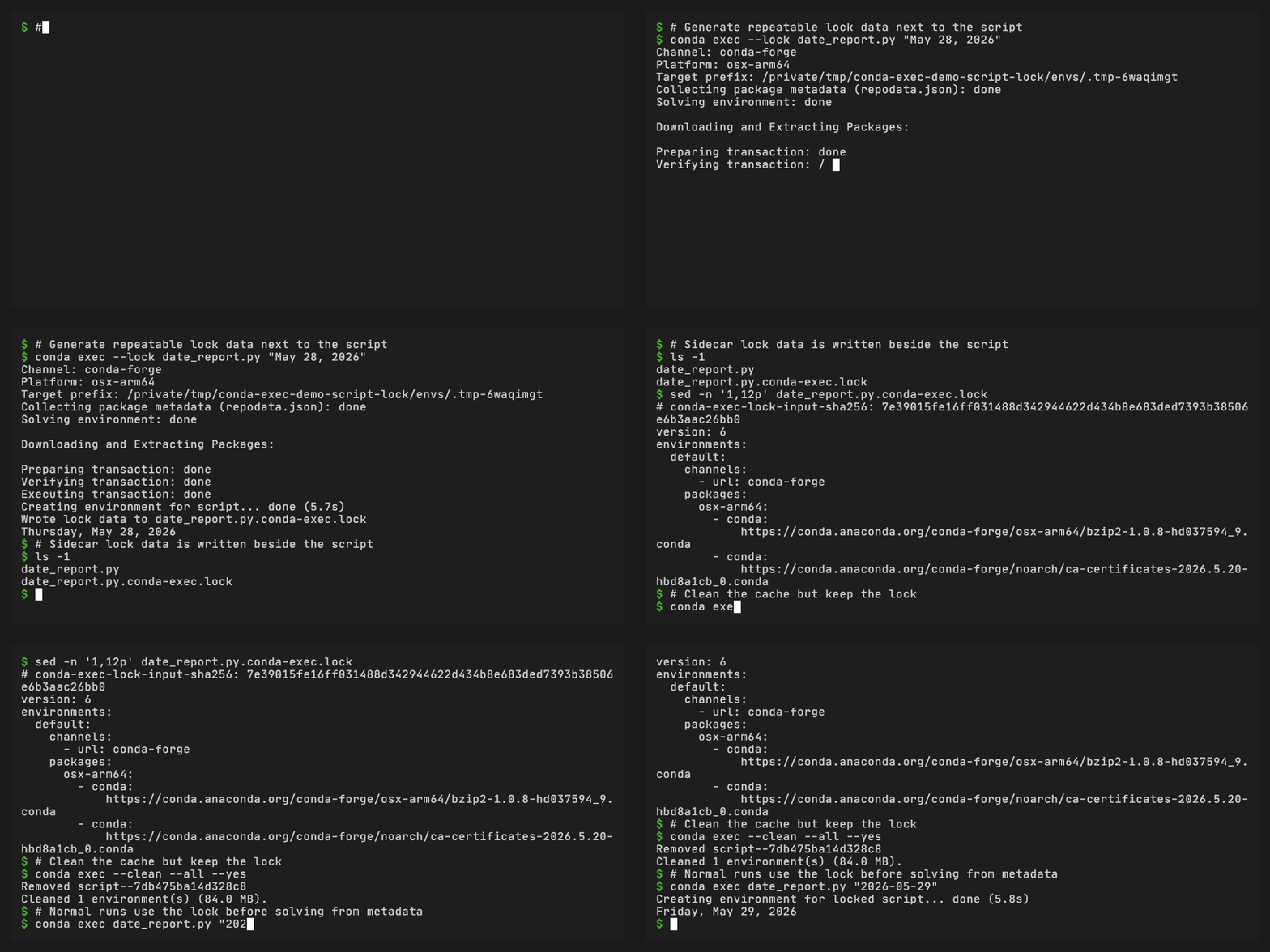
conda exec --lock summary.py
conda-exec creates or reuses the environment, exports lock data, writes it next to the script, and then runs the script.
With the default lock format, the sidecar file is:
summary.py.conda-exec.lock
Commit both files when the script is part of a repository:
summary.py
summary.py.conda-exec.lock
Step 4: Run from lock data#
Run the script normally:
conda exec summary.py
conda-exec discovers the sidecar lockfile. If the lock digest matches the current dependency metadata, conda-exec creates the cached environment from the lock data instead of solving from the metadata.
The cache is still local and disposable. The lockfile is what makes the environment repeatable after the cache is deleted.
Step 5: Refresh the lock after changing dependencies#
Edit the metadata:
# /// script
# requires-python = ">=3.12"
#
# [tool.conda]
# channels = ["conda-forge"]
# dependencies = ["python-dateutil", "rich"]
# ///
Update the lock:
conda exec --lock --refresh summary.py
--refresh forces a new environment solve for the changed dependency input.
--lock writes fresh lock data for that result.
Step 6: Embed the lock for a single-file script#
Use embedded lock data when the script itself is the artifact you want to copy around:
conda exec --lock --embed summary.py
conda-exec inserts a generated block:
# /// conda-exec-lock
# # conda-exec-lock-input-sha256: ...
# ...
# ///
The dependency metadata remains in the # /// script block. The embedded
lock block is generated state and should be refreshed with conda-exec.
Step 7: Ignore the lock for a diagnostic run#
Use --ignore-lock when you want to test whether the metadata still solves
without using lock data:
conda exec --ignore-lock summary.py
This does not modify the sidecar or embedded lock. It only changes the current run.
What happened?#
You now have three layers:
Script metadata describes what the script needs.
Lock data records one concrete resolution of those needs.
The local cache stores a disposable environment created from metadata or lock data.
That separation is the script workflow: readable dependency intent, optional reproducibility, and local cache reuse.